Rethinking Creative Feedback with AI
Why we built a Chrome extension that streamlines feedback for creatives and stakeholders
Summary
- Creative review at Indeed could involve up to six stakeholder groups per project and teams lost hours manually consolidating contradictory, often-vague feedback.
- Early 2024 experiments feeding real Frame.io notes into ChatGPT proved LLMs could parse creative feedback, but copy-pasting every comment, no brand context, and inconsistent output made it impractical day to day.
- Built Finn: a Chrome extension trained on Indeed's brand guidelines that works directly inside Google Slides and Frame.io.
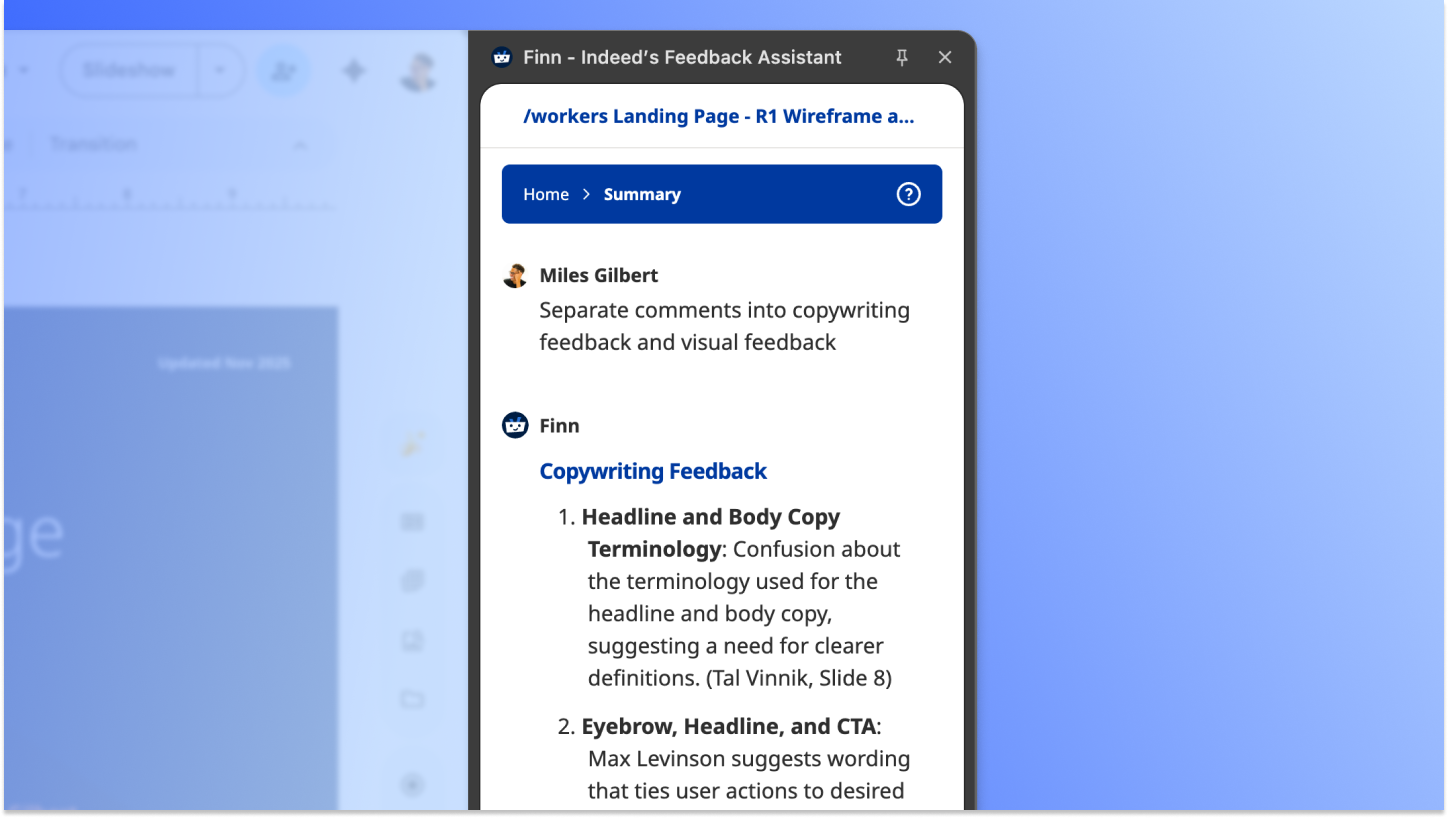
- Extracts and categorizes every comment, flags contradictions, and generates structured action items by priority or discipline.
- Turns scattered comments into an organized brief in about two minutes.
- Built in-house rather than adopted off-the-shelf, so brand guidelines are baked
- Framed as an assistant, not a replacement, for the creative team.
Creative review at Indeed was overwhelming. A typical project could have as many as six different stakeholder groups, from brand and marketing to legal, product, and senior leadership. Teams spent hours manually consolidating feedback, prioritizing contradictory requests, and guessing at vague comments.
That's why we built Finn, a Chrome extension that uses AI to organize feedback so creatives and program managerscan focus on craft and strategy instead of administrative work.
Early experiments with ChatGPT
The first test was simple: could an LLM actually understand creative feedback? I fed ChatGPT real Indeed notes from a Frame.io video review. I asked it to propose solutions, craft diplomatic pushback, judge sentiment, and assess whether the feedback was clear enough to act on. It could.
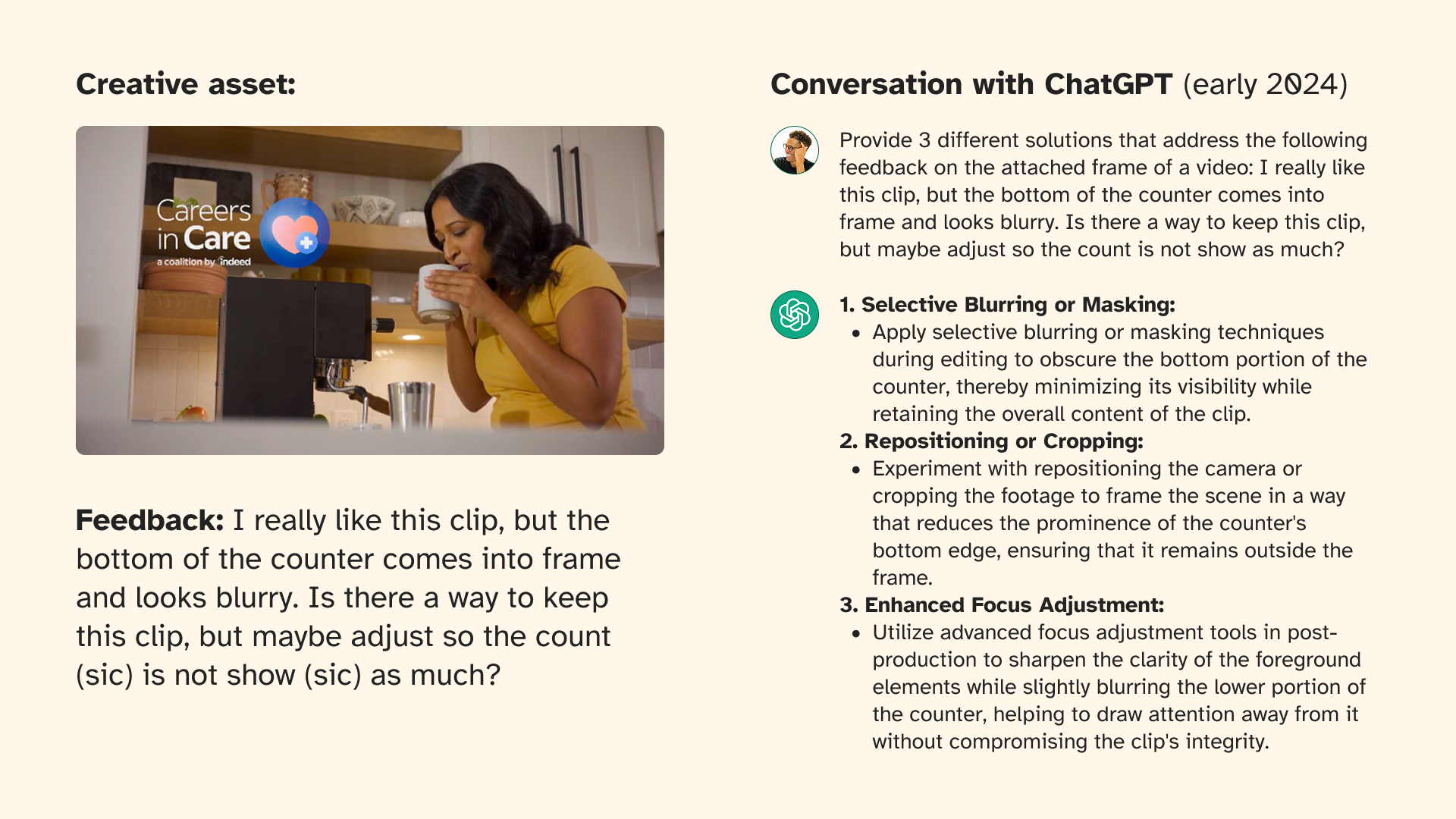
ChatGPT showed promise but wasn't practical. Copy-pasting every comment created too much friction. It lacked Indeed brand context. And there was no way to ensure consistent responses across teams. We needed a way to steer the model — to make it actually useful for creative feedback.
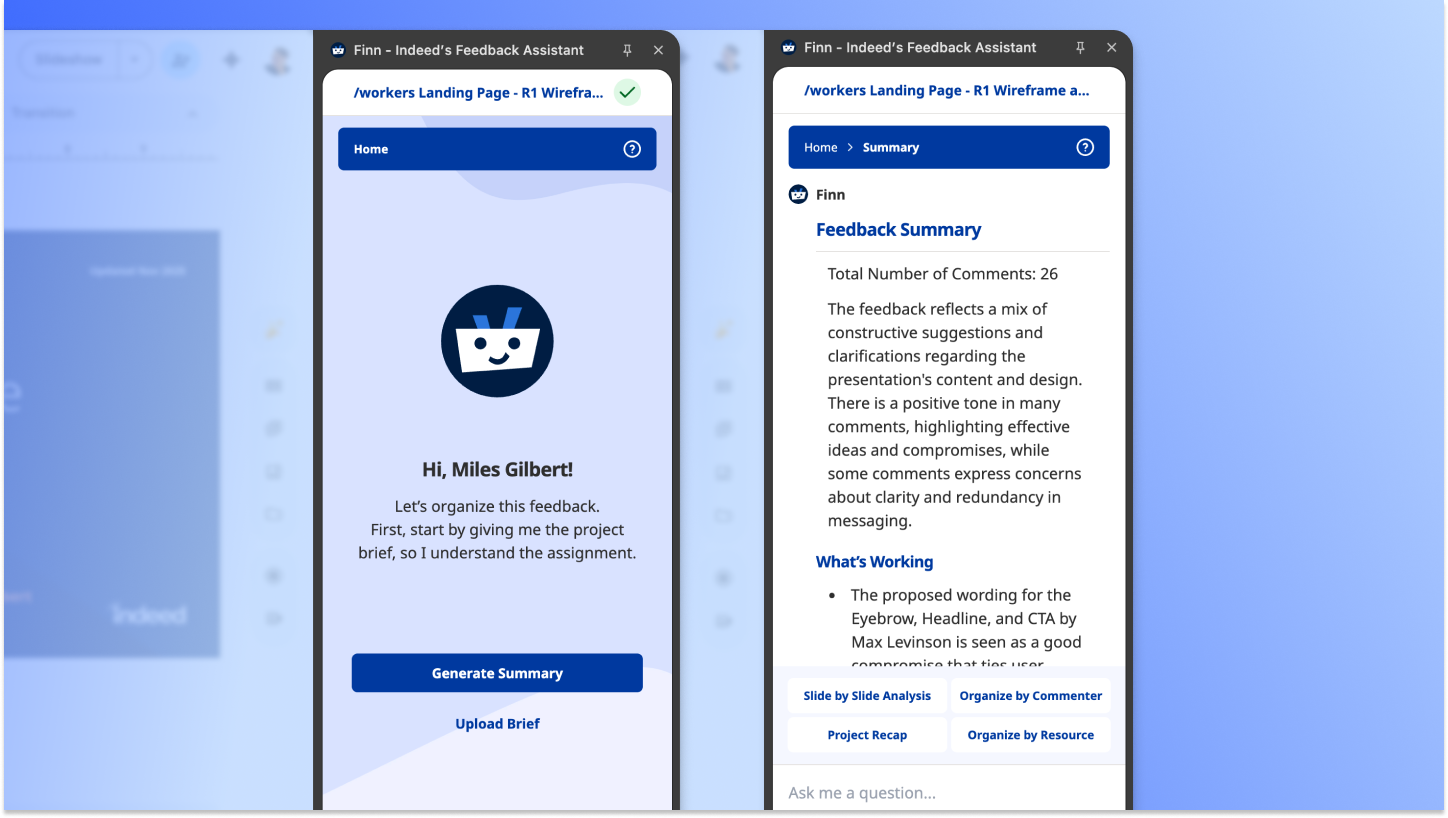
So we built Finn, an AI-powered Chrome extension that works directly in Google Slides and Frame.io. It's trained on Indeed's brand guidelines and allows the user to:
- Upload project brief for context
- Extract and categorize all comments
- Identify patterns and flag contradictions
- Generate structured action items by priority or discipline
- Chat with Finn for custom queries
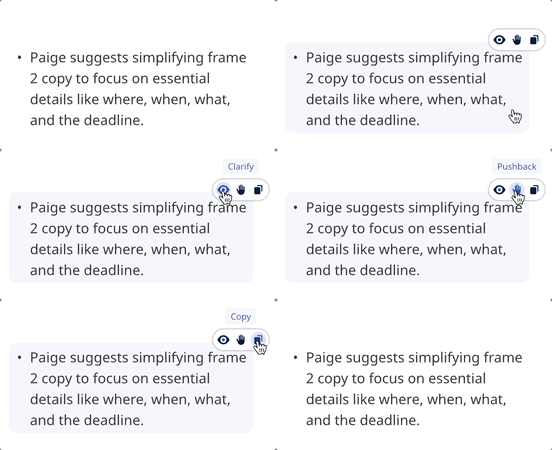
Hover over any feedback for three options:
- Clarify: Unpack vague comments like "this feels off"
- Pushback: Generate diplomatic, evidence-based responses
- Copy: Move text to clipboard
Finn handles the tedious work so designers can focus on craft. Forty-two comments become an organized brief in two minutes. Mental energy goes toward creative problem-solving instead of inbox triage.
Building the tool in-house meant it could be built around Indeed's actual needs: brand guidelines baked in, native to the tools teams already use, and framed from the start as an assistant rather than a replacement.